Our newest monthly summary of InvoiceOcean updates for August 2016
Welcome to the newest monthly feature update for InvoiceOcean. This time we've focussed on improving the features that were added in July, but you'll also find a few entirely new options. Enjoy the read!
August 2016 Product Updates at a Glance
Welcome to the newest monthly feature update for InvoiceOcean. This time we have focused on improving the features that were added in July, but you will also find a few entirely new options. Enjoy the read!
A New Inventory Report and a Smarter Invoice List
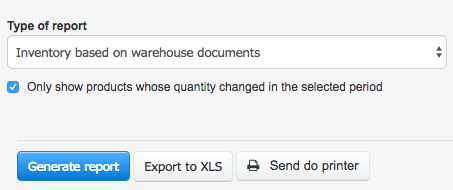
You can now take advantage of an entirely new report showing the quantity and value of your inventory over time. The report is generated based on warehouse documents, and it is also exportable as an Excel (XLS) file. For any small business invoicing that also carries stock, this kind of report turns raw warehouse entries into a picture you can actually act on, instead of having to reconstruct it manually from individual documents.
Total Due Summary and Better Exports
There is a new summary available on your invoice list called Total due, which displays the amount due from all invoices on the current page. You can enable it by going to Customize the column display and checking the appropriate box. More information about display options can be found here. Being able to see how much is outstanding without opening every single invoice makes it much easier to plan a payment reminder round or simply check cash flow at a glance.
We are constantly improving InvoiceOcean file export mechanism. This time we have enhanced it by including the Additional notes field in the exported file, so nothing important gets left out when you hand your records over to an accountant.
Faster Client Suggestions and Flexible Tax ID Search
We have improved the client name suggestion mechanism. When entering a client name on an invoice, the suggestions should now be even quicker and more relevant than before.
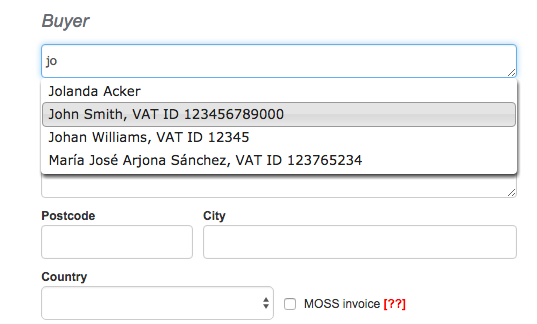
We have also updated the mechanism used for searching the client database by tax ID. You can now enter tax IDs as plain strings of numbers (123456789), space-separated strings (123 456 789), dash-separated strings (123-456-789) or strings prepended with a country code (PL123456789), and they will be correctly recognized in any of these formats. Issuing interest notes is now available in Spanish and English as well; until now this document was only available to Polish-language users.
Issuing Invoices Faster, Organizing Clients and More Flexible Corrections
To make issuing invoices even faster than before, and to make InvoiceOcean user interface more intuitive, we have followed your suggestions and added a button enabling you to issue an invoice straight from the client sheet.
We have also added a way to assign clients from your client database to categories. This means that organizing your client database has gotten much easier: you could, for example, create several categories, use them to tag your best, most senior or most demanding customers, or group several customers into a project containing their invoices and relevant products. As a consequence of this new ability to categorize clients, you can now filter the clients report by category as well.
The corrective invoice creator now allows you to amend other fields of an invoice besides the product list. This means that a corrective invoice can now include changes to things like the client information, such as their address or tax ID, or product names. Recurring invoices in particular benefit from this flexibility, since small corrections no longer require cancelling and reissuing a whole document.
Thank you for being a part of InvoiceOcean development! We would love to hear your suggestions - you can contact us by phone, email, livechat or our online forum. We are also available on Facebook and Twitter.
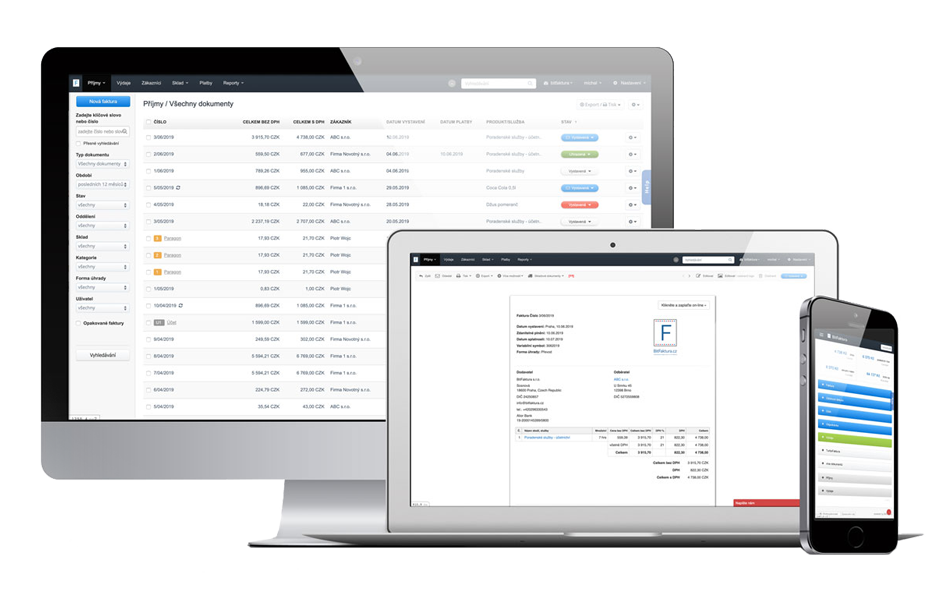
Create an invoice with just a few clicks with InvoiceOcean. Sign up for free and try a 30 day free trial today.
Frequently asked questions
What does the new inventory report show?
It shows the quantity and value of your inventory over time, generated from your warehouse documents, and it can be exported as an Excel (XLS) file.
How do I see the Total due amount on my invoice list?
Enable it through Customize the column display and check the Total due box; it then shows the amount due from all invoices on the current page.
In which formats can I search the client database by tax ID?
You can search using plain digit strings, space-separated strings, dash-separated strings, or strings with a country code prefix such as PL123456789.
Can interest notes be issued in languages other than Polish?
Yes, interest notes can now also be issued in Spanish and English, in addition to Polish.