Our newest monthly summary of InvoiceOcean updates for September 2016
Hello, we are pleased to announce a short summary of changes and developments that have just appeared in the system. In September we focused mainly on our users’ suggestions - we got down to work and here we present the results.
September 2016 Product Updates at a Glance
Hello, we are pleased to announce a short summary of the changes and improvements that appeared in InvoiceOcean this September. This month we focused mainly on suggestions sent in by our users, so we got down to work and here we present the results.
Product Codes Now Visible on Warehouse Documents
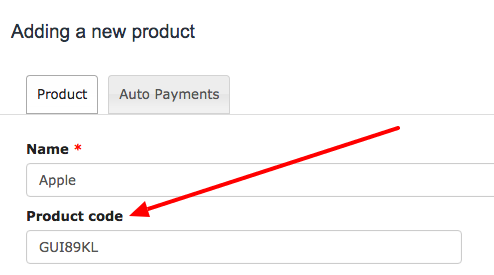
Product codes now appear on warehouse documents as well as on invoices. Previously, they were visible on invoices only. For small business invoicing, keeping the same product code across every document type, not just the invoice template but also delivery and warehouse paperwork, makes stock control and order matching noticeably easier once a product catalogue grows past a handful of items.
Smarter Recurring Invoices and a Faster Pre-invoice Workflow
We also added a new option for anyone who relies on recurring invoices: for monthly documents, the date of sale can now be set to the last day of each month. It is a small detail, but it matters for businesses that issue subscription-style invoices every month and want their records to line up cleanly with the calendar.
We have also made a change that will save you even more time. From now on, when working with pre-invoices, it is possible to move directly from preview mode to the final invoice. The link can be found at the bottom of the page, so there is no need to leave the preview screen, save the document and open it again just to confirm it and turn it into a proper invoice.
Together, these two changes trim a few clicks from a task that many small business owners repeat dozens of times a month, which is exactly the kind of friction that good online invoicing software should remove.
More Control Over Print Settings and API Integrations
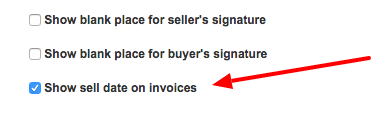
You can now decide whether the date of sale should be visible on your documents by going to Settings, then Account Settings, then Print Settings. Every business has its own habits around what belongs on a printed invoice, so having this as a toggle rather than a fixed rule lets you match your own accounting practice or your customers expectations.
There is also a new parameter called service available for integrations that use our API. When set to true, it adds products to the product database as a service rather than a physical item. This is useful for anyone connecting InvoiceOcean to an external system, since it keeps the product catalogue consistent with how items are actually sold and billed.
Try these new functions for $0
Better PayPal Imports, Customer Sorting and Staying in the Loop
We have improved the way PayPal payments are imported into the system, so payments recorded through PayPal should now match up with the correct invoices with less manual work on your side.
Our accounting module now also allows you to sort your customers by different variables, for example in alphabetical order. When a client list grows into the hundreds, being able to reorder it quickly turns a search and scroll exercise into a task that takes a few seconds.
If you want to receive information about updates as soon as they are out, you can follow us on Facebook and Twitter. Feel free to contact us if you have any questions, we reply to every message!
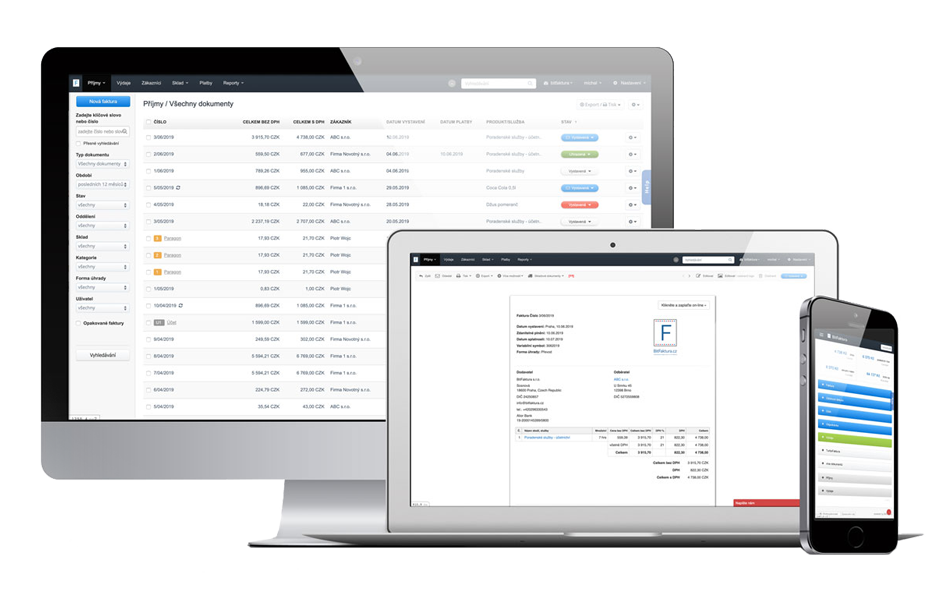
Create an invoice with just a few clicks with InvoiceOcean. Sign up for free and try a 30 day free trial today.
Frequently asked questions
What changed for product codes in InvoiceOcean in September 2016?
Product codes now appear on warehouse documents as well as on invoices, so the same code follows a product through every document type.
Can the date of sale be set to the last day of the month for recurring invoices?
Yes, for monthly recurring invoices the date of sale can now be set to the last day of each month.
Can I move straight from a pre-invoice preview to the final invoice?
Yes, a link at the bottom of the pre-invoice preview now lets you move directly to the final invoice without extra steps.
What does the new service API parameter do?
When set to true, it adds a product to the product database as a service instead of a physical item, keeping API-driven integrations consistent with how the item is actually sold.