Streamline the entry of expense invoices
No more manual data entry! Thanks to the OCR feature, the system will automatically read and save data from the invoices you upload.
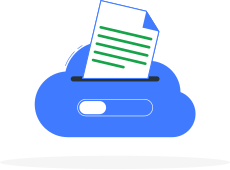
How does OCR work?
-

Intelligent processing of invoice scans and files
OCR (Optical Character Recognition) is a technology based on optical character recognition in image files. OCR in InvoiceOcean reads documents in English, recognizing the content based on context. It processes PDF, JPG, PNG, GIF, and TIFF files with a maximum size of 50 MB.
Data read by OCR:
-
invoice number and contractor details -
issue and sales dates -
payment method -
tables with products/services and their prices
-
-

Tailored to your business needs
You and your employees no longer need to manually enter data from paper invoices. The OCR feature will help save time and money!
No matter how many cost invoices you need to upload to the system, you'll find the right option for you in InvoiceOcean:
-
OCR scan limits in plans (renewed monthly): Basic: 3 scans, Professional: 5 scans, enterprise: 10 scans
-
Additional OCR packages: from 250 to 5,000 scans per month; available for separate purchase.
-
-
Data security
Data transmission is secured with an SSL certificate; ensuring confidentiality and secure data transfer.
All accounting document data is saved daily on servers and stored in compliance with GDPR. Daily backups ensure that you will not lose your data.
OCR benefits for your company
-
Streamlining invoice entry
You upload documents, and the system automatically recognizes and fills in the form.
-
Error reduction
Without manual transcription, you transfer data from scans directly into the system.
-
Time savings
You can enter more documents in less time thanks to automatic filling.
-
Lower costs
Faster work reduces costs, which results in significant savings over the course of a year.
-
Consistent document format
You standardize invoice structures filled in by different people, which makes reporting easier.
-
Greater work comfort
You reduce repetitive tasks and focus on more development-oriented activities.
How to add a cost invoice with OCR?
-
 1
1Add a file to the system
Upload a scanned document or invoice file (PDF, JPG, PNG, GIF, TIFF). OCR will automatically extract the data from it.
-
 2
2Verify the data read by OCR
Check the accuracy of amounts, dates, and contractor details. In case of discrepancies, edit the data.
-
 3
3Save the expense in the system
Confirm the correct data and save the expense in InvoiceOcean. Done!
Choose an OCR package
Choose one of the available automatic OCR reading packages and fill out the form. We will send you a pro forma invoice. Once it's paid, we will activate the package on your InvoiceOcean account.
OCR 250 – 29 £
The ideal choice for companies that process hundreds of invoices a month. For a one-time payment of £29, you get credit for 250 pages, that's just £0.12 for every page scanned.
- 250 pages of OCR processing
- Price of £0.12/page – one of the most affordable solutions on the market
- Valid for 90 days from activation
- Instant activation after invoice payment