Accept online payments for your invoices
Put a Pay online button on your invoices, connect the payment gateway you use and let InvoiceOcean mark paid invoices for you.
Try it for free
Online payments
InvoiceOcean connects to online automatic payment systems such as:
- Tpay
- PayPal
- Stripe
- Ingenico ePayments
- Braintree
- BitPay
The full integration process is done with one click in Account Settings under Online Payments.
This way, the customer can immediately pay the invoice you have sent them, saving the partner time and giving you greater confidence that the money will reach your account quickly.
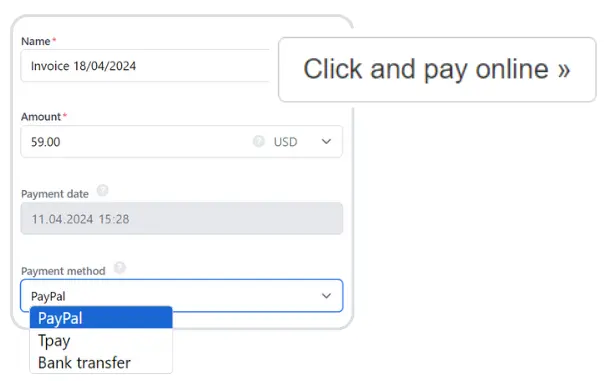
How the Pay online button works
AutoPayments are available in the Professional and Enterprise plans. Once they are enabled, a Pay online button with a payment link appears on your documents. The client clicks it, pays through the gateway you have connected, and the invoice status changes to paid automatically. If the client pays a proforma invoice this way, InvoiceOcean generates the invoice and sends it to the client for you.
How to switch online payments on
Go to Settings > Account settings > Your account and tick Auto Payments in the Online payments section. Then open Settings > Online payments, tick the payment method you want to use and fill in the details from your account with that provider. You can also show the client your bank transfer details instead of a gateway.
See how the integrations with PayPal and Braintree work.
Online payments - frequently asked questions
Which payment gateways can I connect?
Tpay, PayPal, Stripe, Ingenico ePayments, Braintree and BitPay.
Does the invoice status change after an online payment?
Yes. Documents paid through an integrated online payment automatically get the paid status.
Can I show the Pay online button only on larger invoices?
Yes. In Settings > Online payments you can enter an amount, and the button will appear only on invoices with a gross total equal to or higher than that amount.
Can I take payments on my own website?
Yes. With AutoPayments and the payment widget you can sell a product or service on your website, and the customer receives an invoice automatically after paying.