Issue receipts and bills online
Create receipts and bills next to your invoices and turn a receipt into an invoice without entering the sale twice.
Try it for free
Receipts and Bills issuance
InvoiceOcean allows you to quickly issue Bills and Receipts. Printed receipts show only gross amounts.
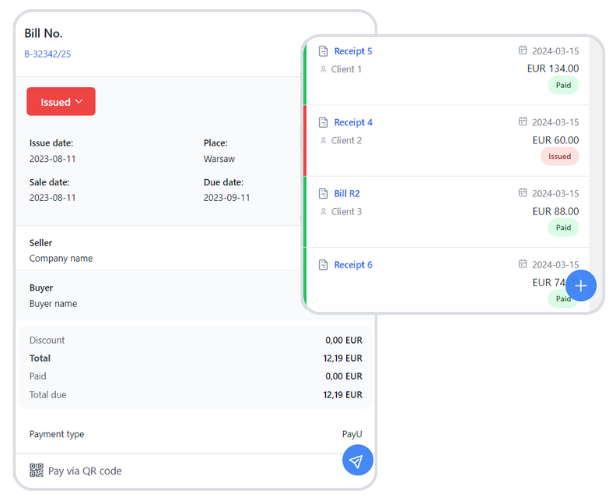
How to issue a receipt
First switch the document on: go to Settings > Account settings > Your account and tick Receipts in the Additional documents to issue section. Then choose Income > Receipts > Add new receipt.
How to issue a bill
Bills are switched on in the same place: tick Bill in the Additional documents to issue section, then go to Income > Bills > Add new bill. A bill looks much like an invoice, but it does not show a VAT rate.
From a receipt to an invoice and back
If a customer asks for an invoice after you have issued a receipt, open the receipt preview and choose More options > Generate invoice based on receipt. To create a receipt from an invoice, open the invoice preview, choose More options > Add similar and select Receipt as the document type.
Receipts and bills - frequently asked questions
What is the difference between a bill, a receipt and an invoice?
A bill asks for payment for goods or services, a receipt confirms that payment has been made, and an invoice is the fuller commercial document. Read more in our guide to bills, receipts and invoices.
Do receipts show net amounts?
No. Printed receipts show only gross amounts.
Will the sale be counted twice if I issue an invoice for a receipt?
No. An invoice generated from a receipt is linked to that receipt and does not duplicate the sale in the system.