Our newest monthly summary of InvoiceOcean updates for July 2016
Welcome to the monthly summary of new features and improvements available in InvoiceOcean for July 2016. We hope you like them - enjoy the read!
July 2016 Product Updates at a Glance
Welcome to the monthly summary of new features and improvements available in InvoiceOcean for July 2016. We hope you like them - enjoy the read!
Printing Warehouse Documents in Bulk
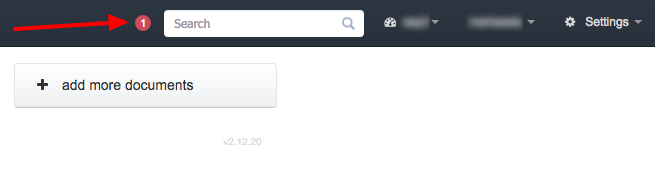
We have introduced a brand new feature to InvoiceOcean - you can now print warehouse documents, including purchase and sales prices, in bulk. There is also a new button in the top right corner: click it, and you will see a list of all recent updates to the InvoiceOcean blog. We hope that this new addition will help you keep in touch with us.
Custom Invoice Templates and Account Activity Tracking
One of our most popular features is the ability to create custom invoice templates. You can also select a default template in your account settings. This month we have improved this feature by fixing the template thumbnail view, so it is easier to tell which invoice template you are about to pick before you commit to it.
The account activity page now shows the IP addresses of all users whose activities have been logged. This page is only accessible to the account owner, which makes it a useful first stop when you need to check who made a change on a shared InvoiceOcean account.
You can now also import the contents of the additional invoice field when transferring documents between two InvoiceOcean accounts, so custom notes and references do not get lost when you move data around.
Cleaner Client Imports and Easier Subscription Management
We have improved the client import feature - InvoiceOcean now detects duplicate entries in the import file and allows you to update existing clients, rather than only add new ones. This matters a lot for small business invoicing workflows where a client list is often imported from a spreadsheet or another system, since it keeps a single client record instead of scattering duplicates across the database.
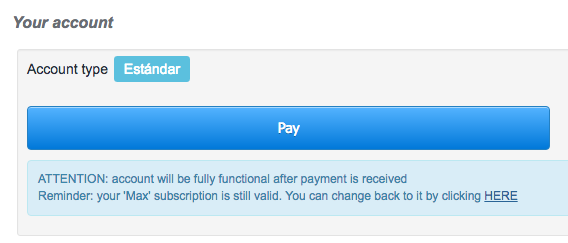
When you are switching to a different subscription plan, it is sometimes easy to forget that your old plan is still active and paid for. In order to stop your subscriptions from going to waste, we have added a convenient link that allows you to revert your account to the plan you have already paid for.
Revenue Views, Client Sorting and Invoice Filtering
You can now decide whether you want to view net or gross revenue numbers in both the reporting module and on your InvoiceOcean dashboard, which makes it easier to match the figures to how your accountant or your local tax rules expect revenue to be reported.
Alphabetical sorting of client names on the client list now works based on surnames rather than first names. Client names are now displayed in the format Surname, First name rather than First name, Surname. If you have the Seller column enabled on your invoice list, you can now also sort your invoices by the sold products department of origin.
If you want to receive information about updates as soon as they are out, you can follow us on Facebook and Twitter. Feel free to contact us if you have any questions - we reply to every message! We also encourage you to post bug reports, feature requests and any other concerns you might have on our forum.
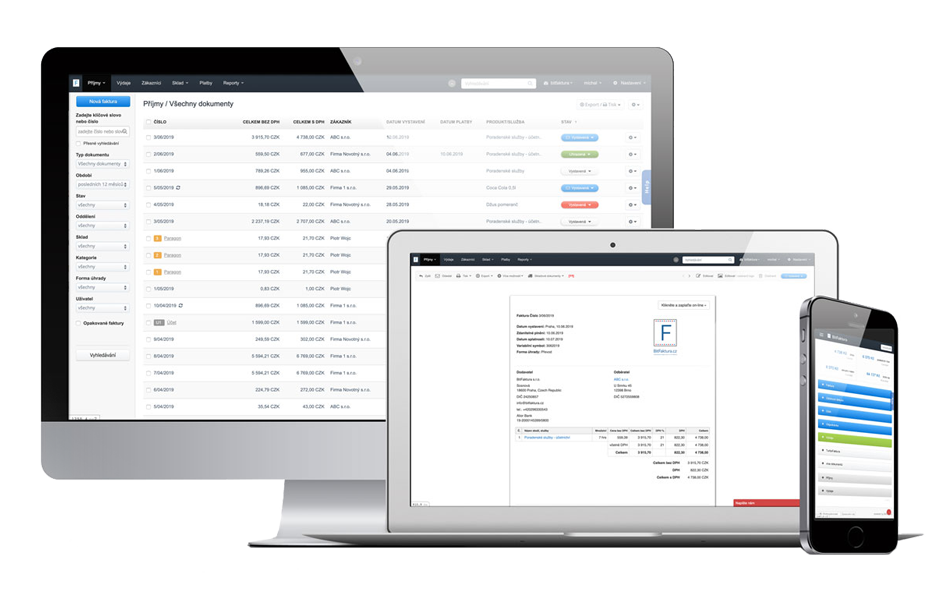
Create an invoice with just a few clicks with InvoiceOcean. Sign up for free and try a 30 day free trial today.
Frequently asked questions
Can I print multiple warehouse documents at once?
Yes, InvoiceOcean now lets you print warehouse documents, including purchase and sales prices, in bulk.
How can I import the additional invoice field when moving documents between accounts?
The additional invoice field content is now automatically included when you transfer documents between two InvoiceOcean accounts.
What happens if I switch subscription plans by mistake?
You can use the new link that lets you revert your account to the plan you have already paid for, so an old subscription does not go to waste.
How are client names sorted alphabetically now?
Client names are now sorted by surname rather than first name, and are displayed as Surname, First name.