Self Employed Invoice Template UK
A free invoice template for sole traders, freelancers and contractors in the UK. Download it in Word, Excel, PDF or Google Docs, or create your invoice online in 30 seconds and look professional from day one.
Free plan with 3 invoices a month. No credit card, no installation.
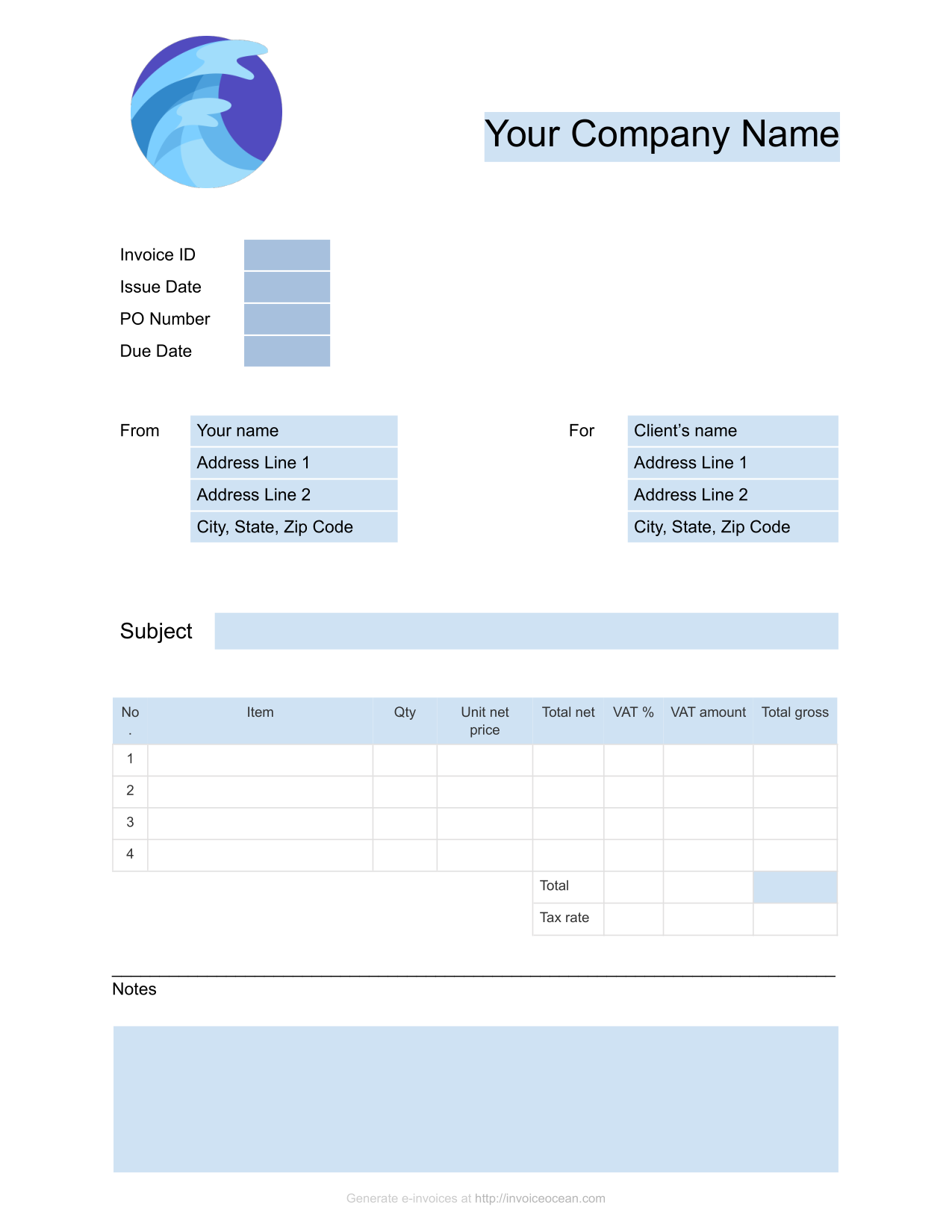
Download a free self employed invoice template
The same free templates work for sole traders and freelancers. Put your own name, or your trading name, in the From section.
-

Word invoice template (.docx)
Edit in Microsoft Word, Pages or LibreOffice. Columns for net price, VAT rate, VAT amount and gross total.
Download Word template Word template guide -
Google Docs invoice template
Open it in your browser, choose File > Make a copy and fill it in. Nothing to install.
Open in Google Docs Google Docs template guide -
XLSX
Excel invoice template (.xlsx)
Spreadsheet layout with bill to, ship to, discount, tax rate and balance due. Works in Excel and Google Sheets.
Download Excel template -
PDF
Printable PDF invoice template
A blank invoice you can print and fill in by hand, or keep as a reference layout.
Download PDF template
Not VAT registered? Leave the VAT columns at zero or delete them. VAT registered? Add your VAT registration number next to your name.
What a sole trader invoice must include
On top of the details every UK invoice needs, GOV.UK says a sole trader invoice must show:
- Your name and any business name you trade under
- An address where legal documents can be delivered to you, if you use a business name
- A unique invoice number
- The customer name and address
- A clear description of the work or goods
- The supply date and the invoice date
- The amounts charged and the total amount owed
- VAT, only if you are VAT registered
Do you need to charge VAT?
Most self employed people start below the VAT threshold. Check where you are:
- You must register for VAT if your taxable turnover for the last 12 months goes over £90,000
- Until you are VAT registered, do not charge VAT or show a VAT number
- Once registered, issue VAT invoices with your VAT number and VAT in pounds sterling
- You can register voluntarily below the threshold
Sources: GOV.UK, Invoices: what they must include and GOV.UK, Register for VAT. This page is a summary, not tax advice.
How to fill in a self employed invoice
-
1
Your details
Your full name, trading name if you have one, address, email and phone number.
-
2
Client details
Your client name and address, and their PO number or project reference if they use one.
-
3
Number, dates, terms
The next invoice number, the invoice date, when you did the work and when payment is due.
-
4
Work and payment
Describe the work, hours or day rate and the total. Add your bank details so the client can pay.
Spend less time on paperwork
When you work for yourself, every hour on admin is an hour you cannot bill. InvoiceOcean keeps invoicing quick.
-
Invoice in 30 seconds
Save your clients and services once, then create each invoice in a few clicks from your browser or phone.
-
Get paid faster
Add a Pay Now button with Stripe, PayPal or Braintree and send automatic reminders for late invoices.
-
All invoices in one place
See what is paid and what is overdue, and export your invoices when it is time to do your accounts.
Related templates and guides
- Free invoice template UK
All UK invoice templates and what an invoice must include.
- Invoice template for Word
Free .docx template to edit on your computer.
- Invoice template for Google Docs
Copy it to your Google Drive and fill it in.
- Invoicing software for UK small businesses
Quotes, recurring invoices and online payments.
Self employed invoice FAQ
What should a self employed invoice include in the UK?
Your name and any business name, an address for legal documents if you use a business name, a unique invoice number, the customer name and address, a description of the work, the supply date, the invoice date, the amounts and the total owed. Add VAT only if you are VAT registered.
Can I use this template as a freelancer?
Yes. The template works for freelancers, sole traders and contractors. Put your own name or trading name in the From section and describe your work, hours or day rate.
Do I have to charge VAT as a sole trader?
Only if you are registered for VAT. You must register if your taxable turnover for the last 12 months goes over £90,000. Until then, do not add VAT to your invoices.
Do I need a company number on my invoice?
No. Sole traders do not have a company number. Limited companies must show their full company name as it appears on the certificate of incorporation.
How do I number invoices when I am self employed?
Give each invoice a unique number in a sequence, such as 001, 002, 003, and never reuse a number. InvoiceOcean numbers your invoices automatically.
Can I create a self employed invoice online for free?
Yes. The InvoiceOcean Free plan includes 3 invoices a month. You start with just your email address and no credit card.
Invoice like a pro, even as a one-person business
Create, send and track invoices from your browser or phone. Free plan with 3 invoices a month, no credit card needed.
Create it online in 30 seconds